We created WanaBet Casino to place the full casino and sportsbook directly into your pocket, with mobile performance in mind. Getting our app is the quickest way to access thousands of slots, live dealer tables, and in-play betting markets with a single tap. Setup only takes a couple of minutes on both Android and iOS, and even if you have never downloaded a casino app before, it doesn’t seem complicated. In this guide, we explain every step, outline the system requirements, and reveal how to unlock the exclusive mobile features that provide our platform its edge in the UK market.
Reasons the WanaBet Casino App Beats the Mobile Browser
We built the native app so it beats the mobile browser by a wide margin. The app holds core graphical assets on your device, which means slot games load faster and live dealer streams drop fewer frames. It also ties into your phone’s biometric security, allowing you log in with a fingerprint or face scan instead of keying a password each time. Push notifications notify you to new game releases and time-limited promotions without clogging your email inbox. For UK players who prioritize speed and convenience, the app is the preferred way to play.
Beyond performance, the app unlocks features a standard web browser is unable to replicate. You can swipe between game categories using native gesture controls, and full-screen mode removes the status bars so you view more of the reels or the betting slip. The app maintains a stable connection through brief network dropouts, which matters when you’re putting a live bet on a football match and the Wi-Fi fails for a second. These advantages accumulate to an experience that is deserving of the small effort of installation.
Promotions and Deals on Mobile
Each promotion is available to app users, and some offers are only for mobile players. New customers can often claim a welcome package that contains a deposit match bonus and free spins on selected slots. The app presents active bonuses in a dedicated wallet section, with a visual progress bar for wagering requirements. Full terms and conditions for each promotion are one tap away from the bonus details screen, so you continuously know precisely how much you need to wager before bonus funds turn into withdrawable cash.
Beyond the welcome offer, we operate regular reload bonuses, cashback deals, and slot tournaments in the promotions hub. The app delivers push notifications when a new promotion matches your playing preferences, and you can modify or turn off these alerts in settings. We also operate a loyalty programme that compensates consistent play with points you can convert for bonus credit. The app monitors your tier progress and indicates upcoming rewards. Check the promotions page after logging in, because we often introduce limited-time offers tied to new game launches or major sporting events.
How you can Download on Android Devices
Google Play limits real-money gambling apps in many regions, so we offer our Android app directly through the WanaBet Casino website. This method is secure and used by plenty of reputable UK-facing operators. You obtain an APK file and adjust one device setting, and we guide you through every step below. The whole installation typically takes under three minutes on a decent connection, and you only need to modify that permission once. After that, the app self-updates when we release a new version.
Detailed APK Installation Guide
- Open your mobile browser and go to the official WanaBet Casino homepage. Find the “Download App” button in the header or footer.
- Press the Android icon to start downloading the APK. Your browser may show a warning about downloading outside the Play Store. Accept that you want to proceed.
- While the file downloads, access your device Settings and go to “Apps” or “Security”, then activate “Install unknown apps” or “Allow from this source” for your browser. The exact wording differs by manufacturer.
- Once the download finishes, tap the notification or find the APK in your Downloads folder. Click it to start the installer.
- Verify the permissions the app asks for. These typically include storage access for game assets and notifications for promotions. Tap “Install”.
- After installation, you can turn off the “unknown sources” permission if you want. Access the app, log in or register, and you’re ready to play.
Security Checks We Recommend
Every APK we release is signed digitally with a certificate unique to WanaBet Casino, and your device validates that signature during installation. If you see a warning that the signature doesn’t match, delete the file right away and obtain a fresh copy from our official site. Confirm the download page URL starts with our exact domain name too. Lookalike sites appear from time to time, but the real APK always comes from our verified domain. These checks require a few seconds and confirm you’re installing authentic software.
Games You Can Play on the App
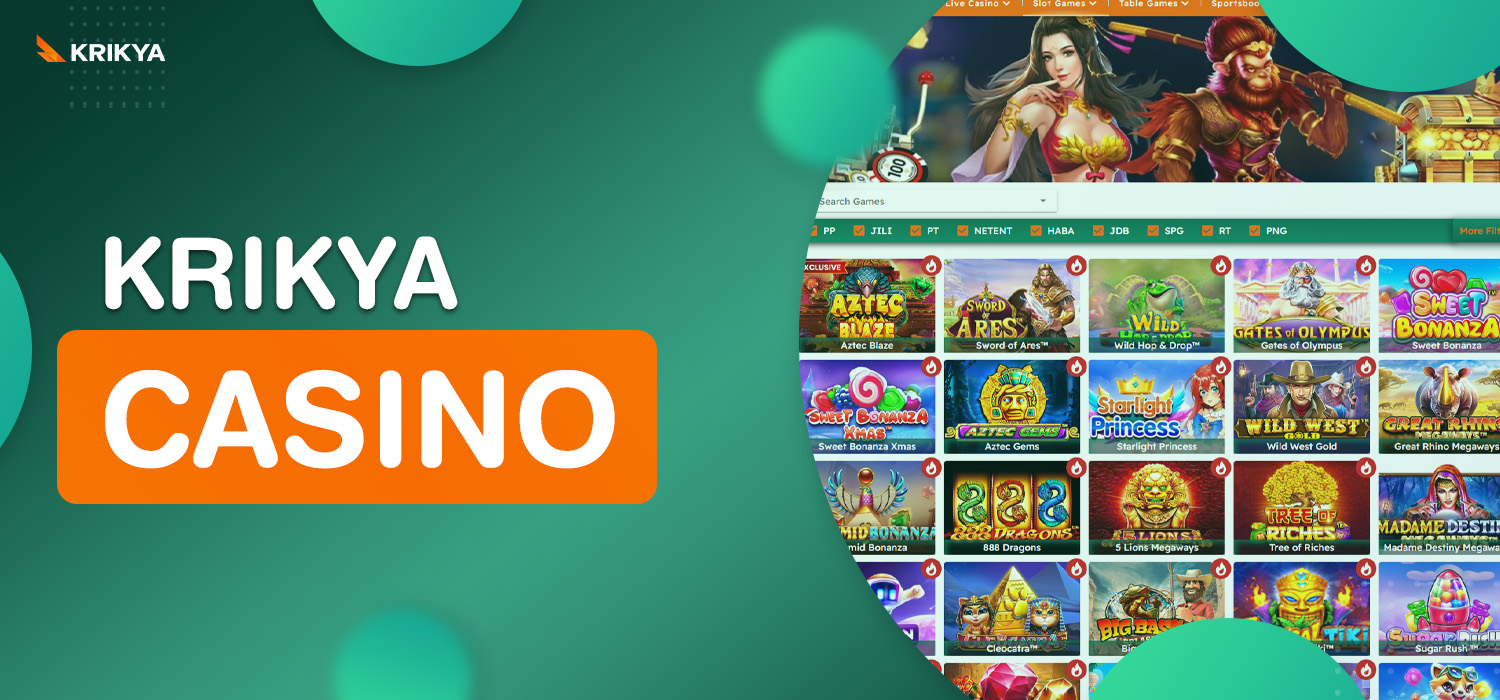
The app provides the same full game library as desktop, with no titles restricted from mobile players. We partner with leading studios like NetEnt, Pragmatic Play, Play’n GO, Evolution, and Microgaming to deliver a catalogue of more than two thousand games. Slots make up the biggest category, from classic three-reel fruit machines to detailed video slots with cascading reels, megaways mechanics, and progressive jackpots combined across multiple operators. New titles arrive every week, and the app marks fresh releases with a dedicated badge so you can identify them right away.
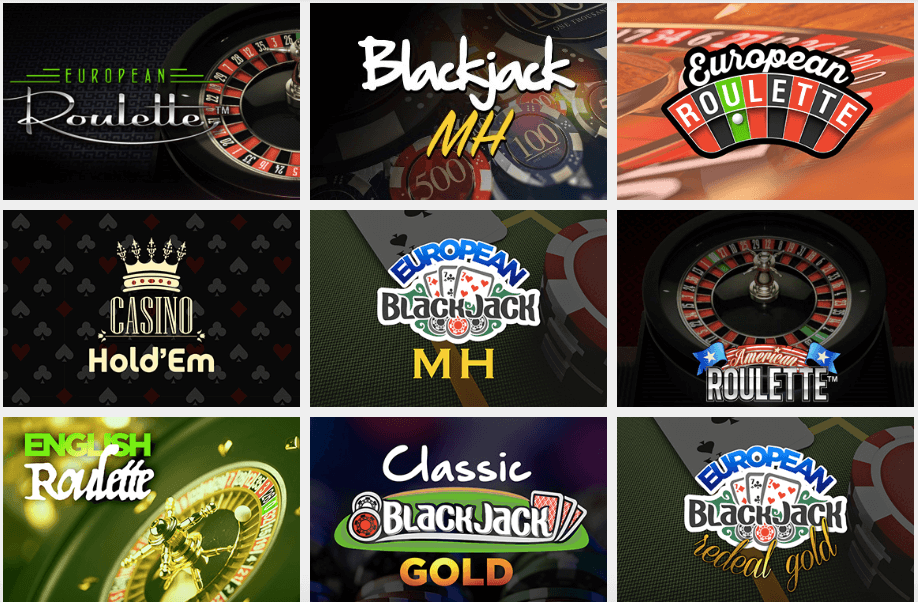
Table game enthusiasts will encounter multiple variants of blackjack, roulette, baccarat, and casino poker. We feature European, American, and French roulette, each with distinct house edges so you can select the most favourable odds. Blackjack variants comprise Classic, Atlantic City, and multi-hand versions that let you play up to five hands simultaneously. For video poker fans, we offer Jacks or Better, Deuces Wild, and several multi-play formats. Every table game runs on certified random number generators that are independently tested by accredited laboratories to ensure fair outcomes.
Live Dealer on Mobile
Our live casino section streams real dealers from professional studios in high definition, and the app adjusts the video feed based on your connection speed. You can enter tables for live blackjack, roulette, baccarat, and game-show-style titles like Dream Catcher and Monopoly Live. Betting options show up directly over the video stream, and you put chips by tapping on the table layout. Dealers respond to chat messages, which introduces a social layer that automated games can’t match. We also feature exclusive live tables with higher betting limits for players who want a more private setting.
Making Your Account Using the App
We’ve simplified registration inside the app so it takes less than a few minutes. You’ll have to give your full name, date of birth, UK residential address, email address, and mobile number. Our licensing obligations require this information to verify your identity and confirm you’re at least 18. The app uses geolocation to check you’re physically in the UK when registering, which is a regulatory requirement we comply with carefully. After you submit the form, our system runs an electronic verification check that normally completes within seconds.
In some cases we require additional documents to complete the Know Your Customer process. The app has a secure document upload tool where you can photograph your passport, driving licence, or a recent utility bill. These images are encrypted end-to-end, and our compliance team examines them quickly, typically within a few hours on business days. You can deposit and play while verification is pending, though withdrawals demand a fully verified account. We designed this process to meet regulatory rules while keeping friction low for genuine players.
Preserving the App Current
We publish updates on a regular basis to add new features, address security vulnerabilities, and bring in the latest game releases from studio partners. Android users obtain update notifications within the app, and clicking the notification downloads and sets up the new APK automatically. You aren’t required to navigate back to the website for each update. iOS users obtain updates by way of the App Store or an in-app prompt if we are distributing via enterprise certificate. We suggest enabling automatic updates on iOS to stay on the latest version without handling it manually.
Occasionally we put out a mandatory update that you need to install before continuing to play. These generally involve significant backend changes or regulatory requirements. The app prevents access and displays a clear message informing you to update, and the process seldom needs more than a minute on a decent connection. Updates do not wipe your saved preferences or game history, and your login credentials carry across across versions. If you face an issue after sportsnet.ca updating, our support team is available through live chat in the app.
Safety Features That Safeguard Your Play
We’ve developed multiple layers of protection into the app to safeguard your personal and financial data. All communication between your device and our servers is encrypted using industry-standard TLS protocols, which stops interception on public Wi-Fi. The app is obfuscated to counter reverse engineering, and we use certificate pinning to block man-in-the-middle attacks. Your login credentials are hashed and salted, and we support two-factor authentication via authenticator apps for an extra layer of account protection. You can turn this on in security settings with a straightforward QR code setup.
On the regulatory side, we function under a licence issued by a recognised gambling authority, which applies strict security and fairness obligations. Our games use certified random number generators that undergo regular third-party audits, and the return-to-player percentages are published and verifiable. We keep player funds separate from operational accounts, a practice required by our licence that protects your balance in the unlikely event of insolvency. The app also logs account access attempts and notifies you of any login from a new device, giving you early warning of unauthorised access.
App Performance and Data Utilization
We designed the app to be light on your data plan while maintaining graphics quality high. On average, an hour of slot play uses about 20 to 40 megabytes, while live casino streams use more bandwidth and can reach 300 megabytes per hour at the highest quality setting. The app has a data saver mode that decreases video bitrate for live dealer games and compresses image assets, which helps if you’re on a mobile connection with a limited data cap. You can toggle this on or off from account preferences at any time.
Battery consumption was another key concern we handled during development. The app uses hardware acceleration where available and limits frame rates on static screens like the lobby. On a typical modern smartphone, an hour of slot play requires roughly 15 to 20 percent of battery life. Live casino streaming is more heavy and may use 25 to 30 percent per hour. We recommend closing background apps and reducing screen brightness if you plan a long session away from a charger. The app also warns you when your battery drops below 20 percent so you can finish up or plug in.
How to Download on iOS Devices
Apple handles casino apps distinctly than Android, and we’ve operated within its rules to make installation as simple as possible for UK players. According to current App Store policies, our iOS app may be available directly on the App Store or distributed through a verified enterprise certificate you accept in device settings. In any case, the process is easy, and our website has explicit instructions that correspond to the latest distribution method. Check our official download page for current iOS guidance before you begin.
Installing Directly from the App Store
- Launch the App Store on your iPhone or iPad and find “WanaBet Casino”. Ensure the developer name matches our brand exactly.
- Check the app rating and reviews to confirm you’ve located the right listing. Press “Get” and verify with Face ID, Touch ID, or your Apple ID password.
- Wait for the download to finish. The app icon shows up on your home screen automatically.
- Access the app and permit notifications when prompted so you don’t miss time-sensitive offers. Log in or sign up to start.
Alternative Installation via Enterprise Certificate
If the app isn’t currently on the App Store because of policy changes, we provide an alternative installation using an enterprise-signed build. After you download a configuration profile from our website, access Settings, tap “Profile Downloaded” at the top, and accept the WanaBet Casino certificate. This method is legitimate and employed by many UK-facing operators to ensure access available. The app operates exactly like an App Store version, and we change certificates regularly so access continues uninterrupted. Detailed instructions with screenshots are always on our download page.
Responsible Gambling Tools Included in the App
We take our duty of care to UK players seriously, and the app includes a full set of safer gambling controls in the account menu. You can establish deposit limits on a daily, weekly, or monthly basis. Decreases take effect immediately, while increases require a 24-hour cooling-off period. Reality check notifications pop up at intervals you choose, showing how long you’ve been playing and your net position for the session. Session limits automatically log you out after a set period, helping you keep control of your playing time.
If you need a longer break, the app enables you activate a time-out period from 24 hours up to six weeks. During that time, you can’t log in or deposit, but your account balance stays intact. Self-exclusion is also available for periods of six months to five years, and we enforce it across all platforms, not just the app. The responsible gambling section links directly to independent support organisations including GamCare and BeGambleAware, and we show their contact information prominently. These tools sit one tap from the main menu, not buried in fine print, because we want you to find them when you need them.
Using the App Interface
The app uses a bottom navigation bar with quick access to the casino lobby, live casino, sportsbook, promotions, and your account https://wanabetscasino.com/. Inside the casino lobby, categories are organized into slots, table games, jackpots, and new releases, each with its own horizontal scrolling carousel. A search bar appears at the top of every screen and returns results as you type from the full catalogue of over two thousand titles. The home screen also has a “Recently Played” section so you can go back into your favourite games without digging through menus.
The sportsbook section deserves a special mention because we designed it for both casual punters and serious bettors. The bet slip slides up from the bottom of the screen and reflects odds in real time as markets move. You can switch between fractional, decimal, and American odds from the settings menu, and the app remembers your choice. In-play betting screens present live mini-graphics with pitch position or court momentum, and we color-code odds changes so you can identify market movements at a glance. The interface reacts instantly when you switch between sections, with no noticeable lag.
Depositing Funds Through the App
We provide a diverse range of payment methods adapted to UK preferences. Visa and Mastercard debit cards are accepted and completed instantly. E-wallet users can fund via PayPal, Skrill, and Neteller, with funds arriving in your account within seconds. We also facilitate bank transfers for larger amounts, though those may take one to three business days to clear. The minimum deposit across all methods is typically ten pounds, and we have no any fees for funding your account. The app stores your preferred payment method securely, so later deposits take just a few taps.
We treat deposit security earnestly. All payment information is secured using TLS 1.3 protocols, and we never store full card numbers on your device. The app connects with Visa Secure and Mastercard Identity Check for extra authentication on card transactions, offering protection without slowing down the deposit flow much. You can check your complete transaction history inside the app at any time, and we detail every deposit, withdrawal, bonus credit, and wager so your financial activity stays transparent and easy to track.
Support Services Access Through the App
We’ve incorporated customer support directly into the app, so you won’t need to leave a game to get help. Live chat is available from the account menu and connects you to a human agent within a minute in peak hours and almost instantly during quieter periods. Our support team is trained on technical, account, and payment queries and has immediate access to tools that resolve most issues immediately. Email support is available for less urgent matters, with a usual response time less than four hours. The app saves your chat history so you can go back to earlier conversations.
For common questions, the app has a searchable help centre dealing with topics from deposit methods to bonus wagering requirements. We update it often as we add new features and payment options. Many queries get resolved faster via the help centre than through live chat because the information is right there. The search function interprets natural language, so typing “how long does withdrawal take” shows the relevant article without needing exact terminology. We created this system to value your time and minimize friction.
Troubleshooting Common Installation Difficulties
Most installation problems come from a few common reasons that we can help you resolve quickly. If the APK won’t install on Android, check that you’ve activated installation from unknown sources for the particular browser or file manager you’re using. Some devices have distinct toggles for each app, and skipping the right one is the most typical stumbling block. Also verify you have sufficient free storage and that no previous version of the app is active in the background. A quick device restart often clears temporary conflicts that block installation.
On iOS, the most common issue is the enterprise certificate not appearing in the Profiles section of Settings. If you don’t see the profile after downloading, attempt using Safari instead of a third-party browser, because Apple’s own browser processes configuration profiles more reliably. If the app crashes on launch, verify that your iOS version satisfies our minimum requirement and that you’ve approved the certificate fully. Reinstalling usually corrects persistent crashes. For anything we didn’t address, our live chat team is reachable around the clock and can often identify the problem within minutes by posing a few targeted questions about your device model and operating system version.
Cashing out Your Earnings
We process withdrawal requests promptly, and the app enables you make a cashout in under a minute. E-wallet withdrawals are normally processed within 24 hours, while debit card withdrawals and bank transfers can take between one and five business days according to your bank’s processing speed. We seek to review and approve all withdrawal requests within 48 hours, though verified accounts often see faster turnaround. The minimum withdrawal amount is usually ten pounds, and we may ask for identity verification before your first cashout if it wasn’t completed during registration.
We do not set arbitrary withdrawal limits that tie up your winnings, though very large amounts may be paid in instalments as our terms allow. The app displays the status of every withdrawal request in real time, moving from “Pending” to “Processing” to “Completed”. If we need extra documentation, the app notifies you right away and gives you a direct link to the upload screen. We know fast access to winnings is important to UK players, so we’ve invested in payment infrastructure to cut delays wherever possible.
Moving Between Desktop and Mobile
Your WanaBet Casino account operates across all platforms without friction. Deposits you make, promotions you grab, or bets you make on the app appear instantly when you log in on desktop, and the same occurs in reverse. Game history, saved favourites, and responsible gambling limits update automatically. You can start a slot session on your phone during a commute and continue on your laptop at home without losing progress or missing a bonus round. The only exception involves games that save state locally, which are rare in our catalogue.
We recommend using the same login method across devices to avoid triggering security flags. If you usually sign in with email and password on desktop, employ the same credentials on the app rather than creating a separate social login. Our fraud detection systems watch for unusual patterns, and logging in from a new device may trigger a verification step. That’s a security feature, not a bug, and it aids us protect your account from unauthorised access. Once you complete verification, your device is saved for future logins.
Supported Devices and Hardware Requirements
We provide a extensive range of contemporary phones, so most UK players can install without purchasing a new handset. For Android, you need operating system 8.0 or later and at least 2 GB of RAM. The APK is compact, but keep 150 MB of free storage for future updates and game cache files. Well-known devices like the Samsung Galaxy S series from the S9 onward, Google Pixel 3 and newer, and OnePlus 6 and above operate the app without problems. If your phone runs Android 13 or 14, you get extra performance optimisations we built for those systems.
For iOS, we need version 13.0 or later, which covers every iPhone from the 6s upwards. The app is completely optimised for the iPhone 15 lineup and uses the ProMotion display on Pro models to deliver animations at up to 120 frames per second. iPad users can download the app too, and we’ve modified the layout to take advantage of the larger screen without stretching graphics. We advise keeping at least 200 MB free on iOS so the operating system can control caching without problems. Both platforms require a stable internet connection for play, and for live casino streams we recommend at least 4G or strong Wi-Fi.
Accessibility Tools We Have Included
We think every player should be able to enjoy the platform, so accessibility has been included in the app from the start. The interface offers dynamic text sizing, meaning if you’ve adjusted your device’s default font size, the app honors that setting across menus and game information screens. Text elements keep strong colour contrast, and we refrain from using colour alone to convey bet status or bonus progress. Buttons and interactive elements fulfill minimum touch target sizes to accommodate players with motor impairments.
For players who use screen readers, all interactive elements have descriptive accessibility labels. The navigation structure maintains a logical order, and headings are nested properly so assistive technology can build an accurate page outline. We persist in test the app with accessibility tools and appreciate feedback from players who encounter barriers we haven’t addressed yet. Our development roadmap features more enhancements like alternative input methods and additional visual customisation options. If you have specific accessibility needs, our support team can walk you through current capabilities and aid you configure the app for comfortable play.